
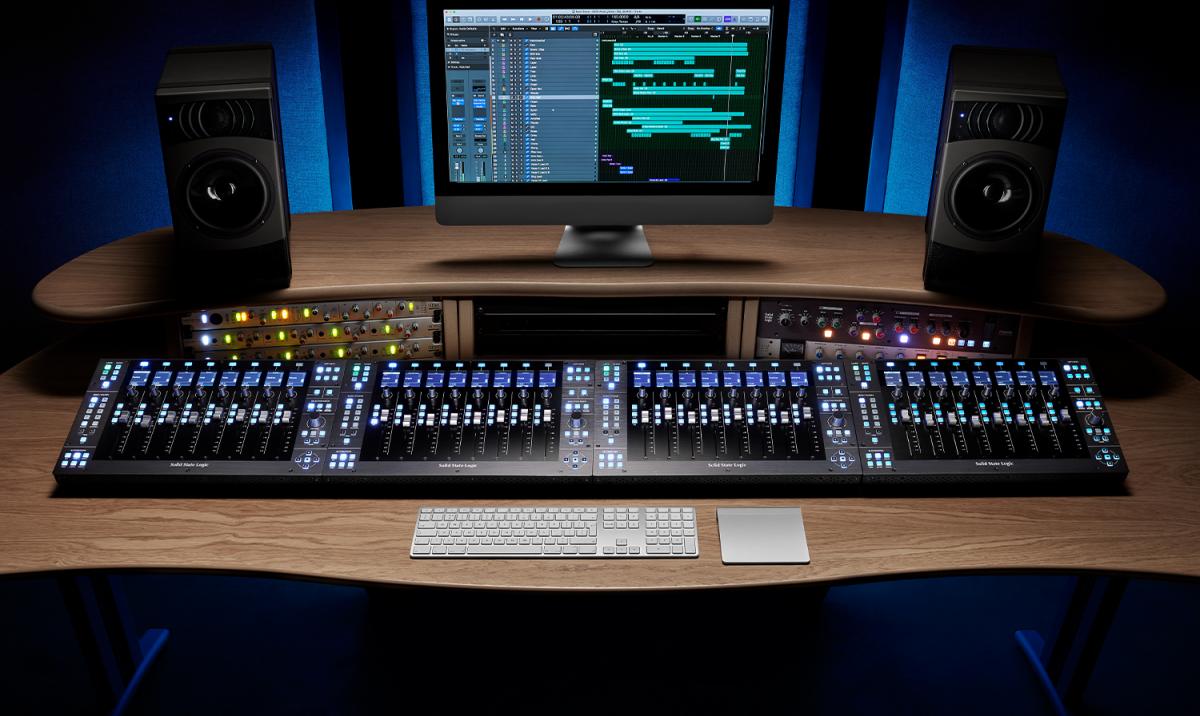
What Hybrid Mixing Setup Is — and Why You Might Choose to Work That Way
Hey, what’s up
Today we’re going to take a look at what a hybrid mixing setup is, why you could choose to work that way, and how it can help you get the best of both worlds when mixing music.
A hybrid mixing setup uses both analog and digital equipment. The idea is simple: combine the flexibility and recall of digital systems with the character and hands-on control of analog gear. To understand how this works in practice, it helps to look at typical workflows, practical studio setups, and the things you need to keep in mind when working this way.
Understanding the Hybrid Mixing Concept
At its core, a hybrid setup blends two environments:
- Digital: your DAW, plugins, automation, editing, and recall
- Analog: outboard processors, mixing desks, and tactile control
“A hybrid mixing setup uses both analog and digital equipment and gets the best of both worlds.”
For many engineers, especially in home studios and smaller project studios, this approach offers a flexible way to work without committing fully to either an all-digital or all-analog workflow.
Why Tracking Is Usually Done Digitally
For many reasons, tracking is the simplest in a digital environment.
In most hybrid studios, the workflow starts with:
- Recording in the box
- Editing and organizing tracks inside the DAW
- Preparing sessions for mixing before analog gear is involved
Simply said, this means recording digitally and mixing with the help of outboard gear. Digital tracking allows for clean signal capture, easy editing, and reliable session management before any analog processing is introduced.
Typical Hybrid Mixing Workflows
There are several setups that use good elements from both the analog and digital world. Below are two practical hybrid configurations that work especially well for home studios and small project studios.
Setup One: Mixing in the Box Using Outboard Gear
In this setup, the computer is the heart of the process.
Core Components of This Setup
- A computer running your DAW
- An audio interface with multiple inputs and outputs
- External analog outboard gear
- Optional MIDI controller with faders and knobs
The key idea here is using your interface I/O as inserts inside your DAW.
How It Works in Practice
- DAW channels are routed out through the interface
- The signal passes through analog processors
- The processed signal returns back into the DAW
Many DAWs allow you to configure interface inputs and outputs as hardware inserts directly on DAW channels. This makes it possible to treat analog gear just like plugins inside your session.
“These in and outputs can be used to have analog gear as an insert on our DAW channel.”
Why a MIDI Controller Helps
A MIDI controller with faders and knobs can be very helpful in this type of setup. Many people prefer physical controls over mouse clicks when mixing music, especially when balancing levels or riding automation.
Setup Two: Mixing With a Mixer Using a DAW
Another hybrid approach is mixing with an analog mixer while still using a DAW.
In this setup:
- The computer is still the heart of the process
- The DAW plays back the multitracks
- Mixing happens on an analog board
Signal Flow Overview
- Multitracks are played from the DAW
- Interface outputs are connected to the inputs of a mixing desk
- The analog mixer handles levels, panning, and processing
This routing allows the computer to sit more to the side, rather than being the visual center of the setup.
“We focus more on the traditional and less visual way of mixing.”
Using Outboard Gear With a Mixing Desk
When working with a mixer:
- Outboard gear is connected using insert sends and returns
- Processing happens directly on console channels
- Signal routing feels more traditional and hands-on
You can still choose to use plugins and DAW processing when needed, which creates a very flexible environment.
Printing the Mix Back Into the DAW
In a hybrid mixer-based setup, the final step is capturing the mix.
Recording the Mix Bus
- The output of the mixer’s mix bus is recorded back into the DAW
- This recorded signal becomes the final stereo mix
Recording Stems for Flexibility
You can also record stems instead of just a stereo mix. This allows you to keep:
- Drum groups
- Instrument groups
- Vocal groups
Each recorded as separate stereo tracks, giving you more control later if changes are needed.
Important Things to Take Note Of When Using Analog Gear
When working with analog equipment, there are literal things to take note of.
Unlike plugins, analog gear does not automatically recall its settings.
What You Need to Document
- Which insert is used on which channel
- Which devices are connected to each insert
- All knob, switch, and parameter settings
- Any chosen presets on the hardware
“All the settings that you dial into your outboard gear need to be noted down in order to recreate the same mix.”
Using the DAW for Documentation
Most DAWs allow you to add notes directly into the session. This makes it easier to:
- Track hardware usage
- Reopen sessions later
- Recreate or revise a mix accurately
This is one of the reasons session notes are so helpful in hybrid workflows.
Combining Recall With Analog Flexibility
Even if you want the possibilities of a digital environment — such as:
- Tracking
- Editing
- Automation
- Full recall
…it is still possible to incorporate analog outboard gear into your workflow.
A hybrid setup also allows you to upgrade gear over time, adding better analog processors as your studio grows, without changing the core digital workflow.
“You really get the best of both worlds.”
Expanding Your Hybrid Workflow Further
There are additional ways to integrate external processors directly with your DAW. Many systems like Pro Tools, Cubase, and Logic support external hardware routing, making it possible to work with outboard gear as part of your digital session.
More detailed setup explanations are often covered in follow-up tutorials that focus specifically on configuring DAWs for external processing.